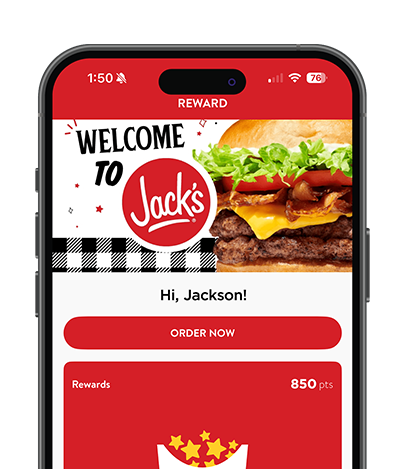
Download the app for down-home Southern cookin’ and exclusive rewards – right at your fingertips. Plus you’ll get exclusive delicious deals – like free shakes, double points days, and more!
Download today and start getting fresh deals and hot rewards!
HOW IT WORKS
When you’re all about rewards but not about the wait, order in the app to jump the line! In the new and improved All About Rewards® app, you can find a Jack’s restaurant near you, order your faves, and earn points toward rewards with every in-app order.
01
Download the App
Grab the free Jack’s All About Rewards® app on iOS or Android. Takes less than a minute to set up.
02
Order & Earn Points
Earn points on every qualifying in-app order. Forgot to use the app? Scan your receipt QR code at the register to still earn points.
03
Redeem for Free Food
Points add up fast. Redeem them for free sides, shakes, drinks, and full entrees — real Southern food, on the house.
04
Unlock Exclusive Deals
Members get first access to new menu items, double points days, and deals you won’t find anywhere else.
ENJOY DELICIOUS DEALS
Loyalty has never tasted so good! Sign up for Jack’s All About Rewards and get access to exclusive deals, tasty offers and even more of your Jack’s favorites.
Sign-Up Reward – Treat yourself to a free 3 pc Chicken Finger Snack just for signing up.
Birthday Reward – Celebrate your big day every year with a free shake.
Appiversary Reward – Let Jack’s buy you a drink on your app anniversary.
Spread the Love Reward – Go big with 3PC Chicken Finger Snack when you get a friend or family member to sign up.
faqs
How do I scan a QR code on the receipt for reward points?
Please make sure you click on ‘Rewards’ at the bottom of the screen
Click ‘EARN’
Click ‘SCAN BARCODE’
Scan QR code on your receipt.
What is All About Rewards® App?
All About Rewards® is a points-based loyalty program designed to reward you. The more points you earn, the more rewards you get!
How does the App work?
Once you download All About Rewards® on your iOS or Android device, open the app and select the ‘Earn’ button (on the ‘Rewards’ screen). You can scan your QR code at the register or use the QR code found on your Jack’s receipt or take and scan it within the app to earn points for your purchase.
How do I earn points?
App: Open the All About Rewards® app and select the ‘Earn’ button. You will then need to scan the QR code that appears at the register OR you may click ‘Scan Barcode’ to scan the QR code that is printed out on your receipt.
Desktop: Login here. You will then need to go to ‘Checkin’ and enter the alpha numeric code that is listed underneath your QR code and then click ‘Submit’.
Can I earn rewards on my online orders?
Yes, just make sure that you are signed into the loyalty account when placing an online or mobile order.
How do I redeem rewards?
App: Open the All About Rewards® app and select the ‘Redeem’ button. Your offers will be listed there when available. When you are present at a Jack’s location, press ‘Redeem’ on the offer you wish to claim and scan your QR code at the register.
Desktop: Login here. You will then need to click ‘Redeem” to generate your redemption code that will need to be shared with the Jack’s team at time of purchase.
How do I redeem rewards when ordering online?
Be sure you are signed into the online ordering site with your loyalty account login info. On the checkout page, you will see a ‘Rewards’ option where you can ‘check’ the box next to the applicable reward you wish to apply to your online order.
Only 2 receipts can be scanned within any 3 hour window noted by the time stamp on the receipt and not the time that the receipt was scanned.
What do I do if I forgot my password?
If you signed up for the app via Facebook or Apple, you will need to follow the Facebook or Apple password recovery steps. If you signed up with your email address, you will need to click ‘Reset Password’ on the login screen.
I redeemed a reward too early and now it’s expired. Did I lose the reward?
If a reward is activated, but never used, this reward will go back into your account until its expiration date.
When do points expire?
Points expire 6 months after being earned and unused.
DOWNLOAD THE APP
Download today and start getting fresh deals and hot rewards!